See what’s filling
your Mac.
DiskWhisk maps every file on your disk as a colorful treemap, so the space hogs jump right out. Then it helps you clean them up.
Free for up to 99 GB per scan · macOS 14 Sonoma or later · Apple silicon & Intel
Why DiskWhisk
Your whole disk, at a glance.
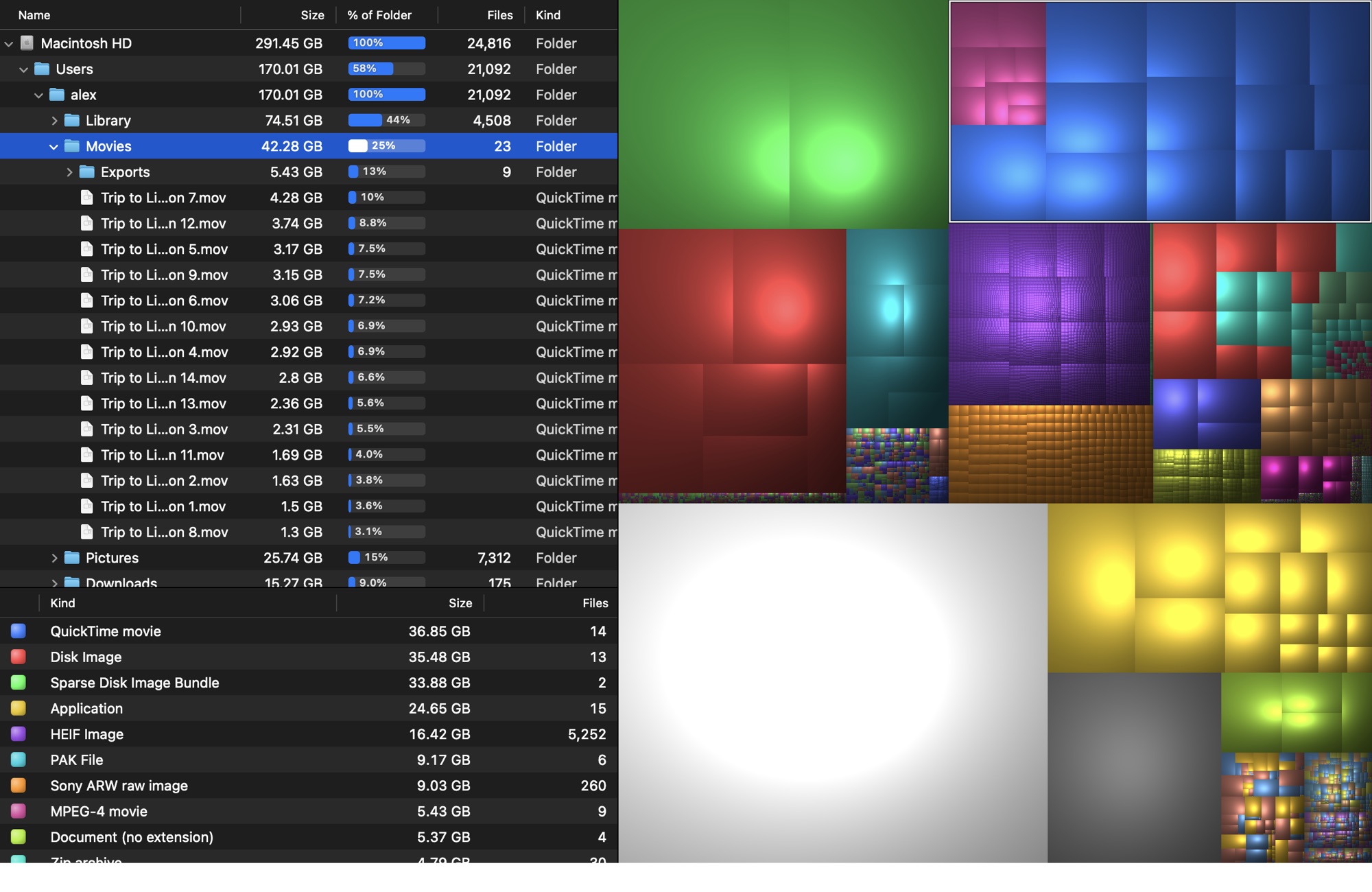
Every rectangle is a file, sized by how much space it takes. Big blocks are big files. No more guessing.
A map you can read
Shaded cushion treemaps show the folder structure inside each block, so you can see where clutter clusters.
Seriously fast
A parallel scanner built on low-level macOS APIs reads a full startup disk, over a million files, in well under a minute.
Every file type, colored
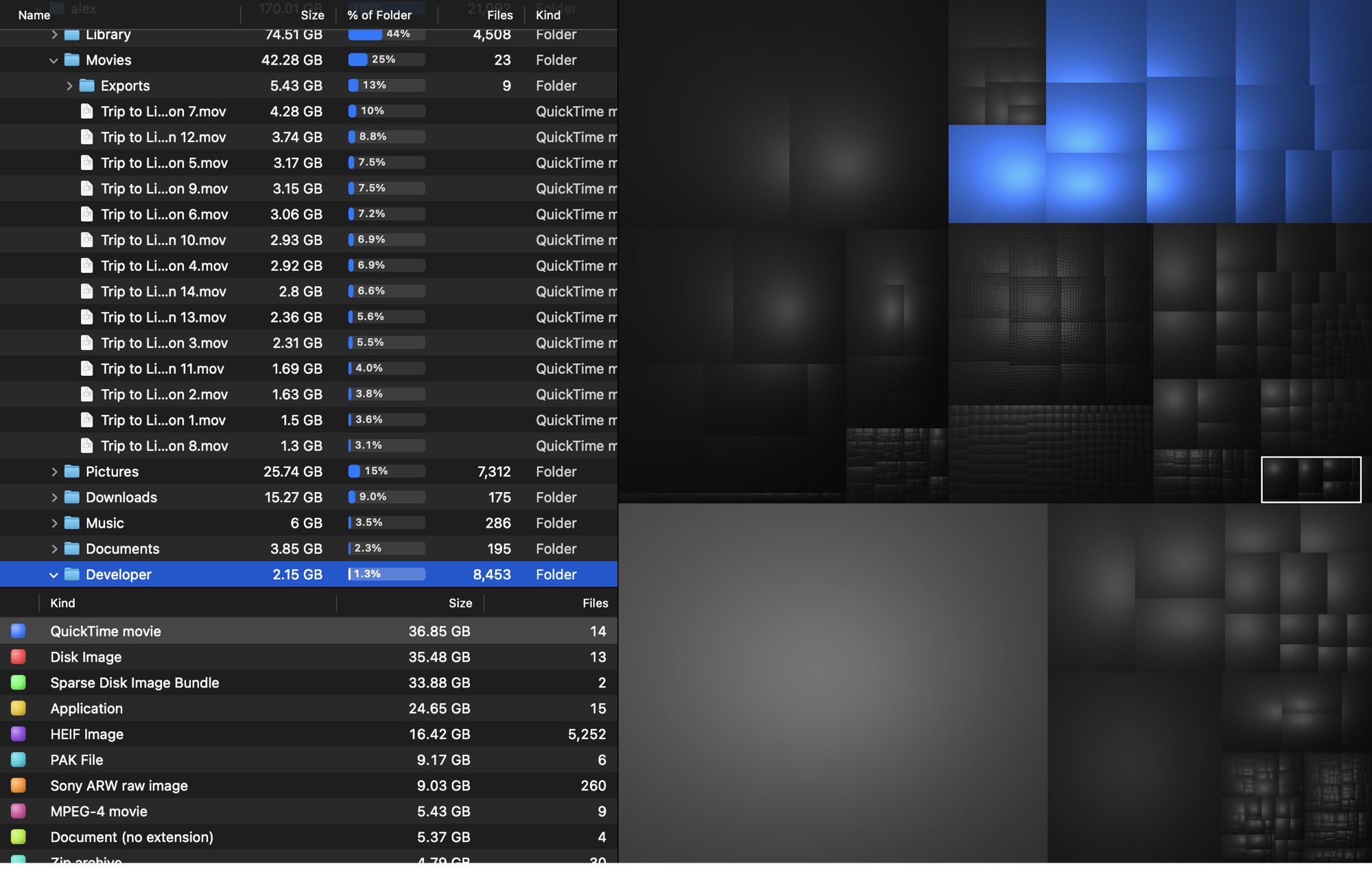
Movies, disk images, photos, caches. See the totals for each kind, then click one to light up every file of that type.
Drill down instantly
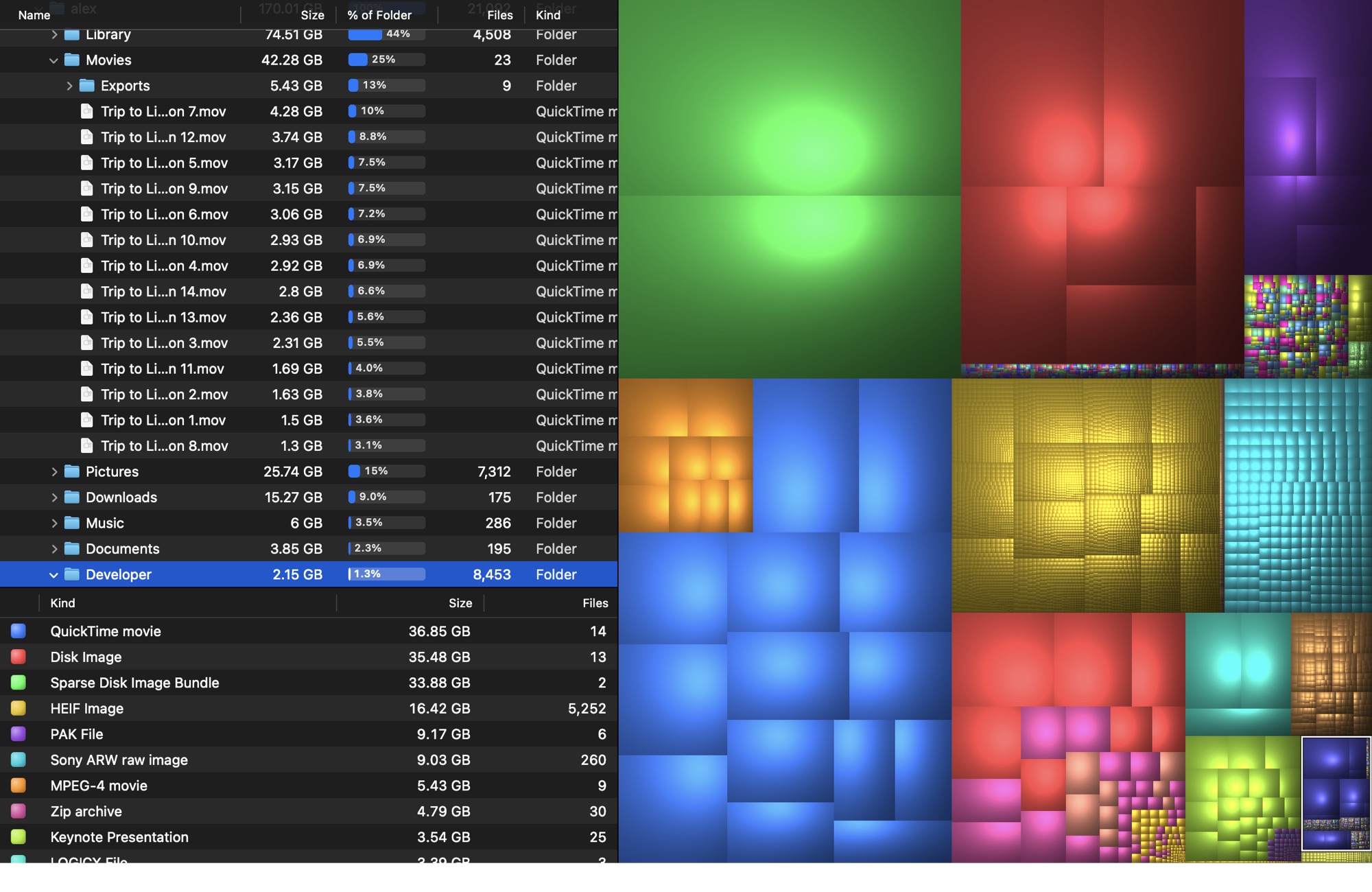
Double-click any block to zoom into its folder. The list, the map and the stats all follow you down.
Clean up with confidence
Quick Look anything with the space bar, reveal it in Finder, or move it to the Trash. Nothing is ever deleted permanently.
Private by design
Your file list never leaves your Mac. No accounts, no analytics, no tracking. Just a fast native app.
Zoom into any folder
Colors are re-ranked for what’s on screen, so every view stays easy to read, even deep inside ~/Library.
Find every file of a kind
Select “QuickTime movie” and every video lights up, wherever it’s hiding.
Missing Disk Inventory X?
The classic, rebuilt for today’s Mac.
Disk Inventory X was a favorite for years, but it no longer runs on current macOS. DiskWhisk brings back the treemap-and-file-kinds workflow you loved, written from scratch as a native, fast, modern Mac app.
Pricing
Try it free. Pay once to see everything.
The free version has every feature and shows up to 99 GB of files per scan. One small payment removes the limit for good.
Free
- Shows up to 99 GB of files per scan
- Every feature: treemap, file kinds, zoom, Quick Look, Move to Trash
- Anything past 99 GB appears as locked totals, so you still see where the space goes
DiskWhisk License
- No limits: see every file on every disk
- Use on up to 3 of your Macs
- All 1.x updates included
- Supports an independent Mac developer
Secure checkout by Polar, our reseller and merchant of record. Prices exclude applicable taxes. 30-day money-back guarantee.
Questions
Good to know
Is it safe to use?
DiskWhisk only reads your disk to measure it. When you clean up, files go to the Trash, never straight to deletion, so you can always change your mind.
Why does it ask for Full Disk Access?
macOS hides some folders (Mail, Messages, other apps’ data) unless you grant Full Disk Access. DiskWhisk works without it, but those folders show up as “Other Space”. Granting access gives you the complete picture. How to grant it.
Which Macs does it run on?
Any Mac with macOS 14 Sonoma or later, including macOS 26. It’s a universal app for Apple silicon and Intel.
Do I need to pay?
Not to try it. The free version has every feature and shows up to 99 GB of files in each scan, in alphabetical folder order. Anything beyond that appears as striped “Locked” blocks with their total size. A $4.99 license shows everything.